
Blue Thermometer Sidebar
R-134a SI Overview Chart — Blue Thermometer Sidebar
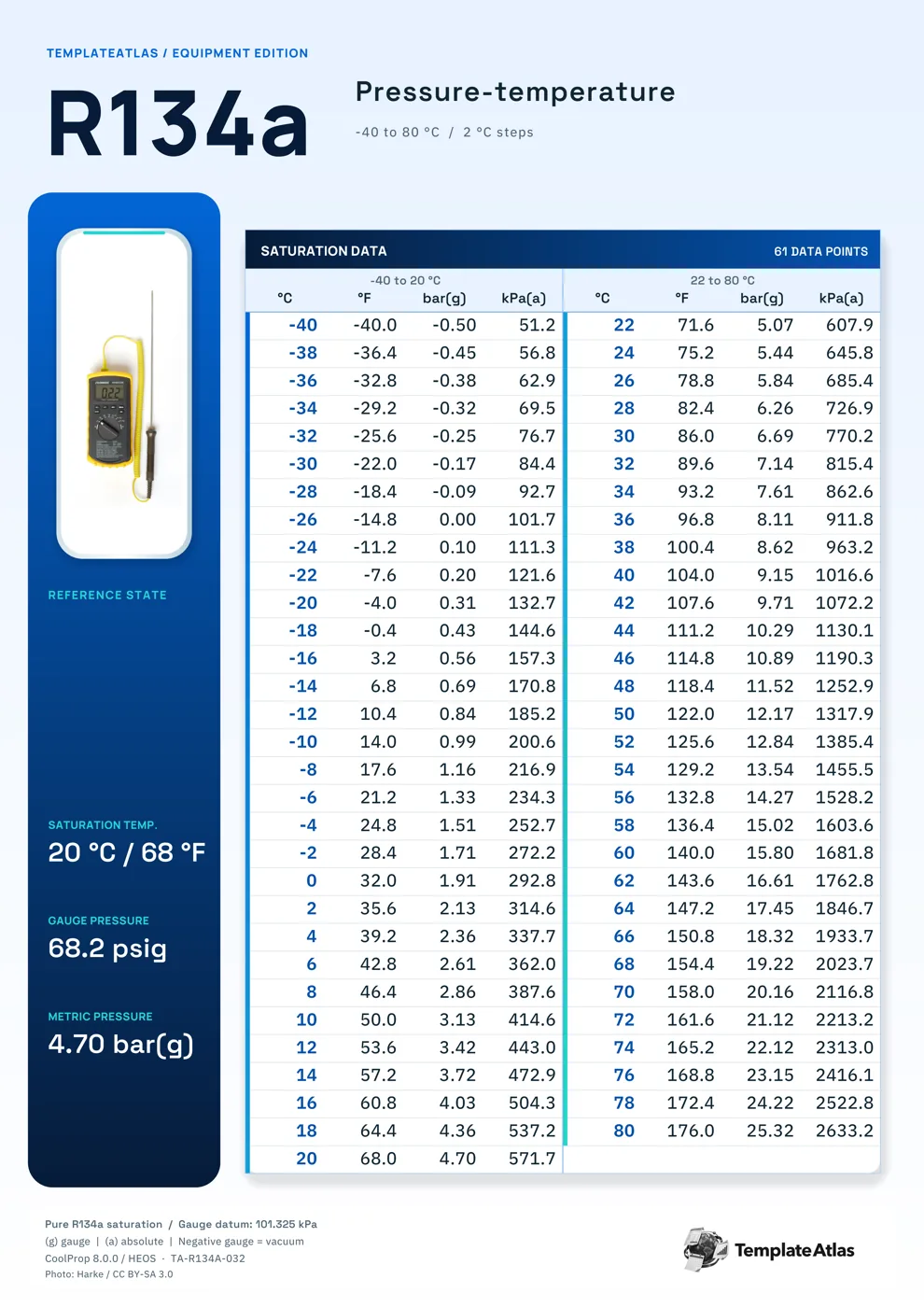
A yellow thermometer in a white inset card heads a blue left sidebar, leaving the Celsius table to the right.
Start with the Celsius column to find an R-134a saturation temperature, then read across for the equivalent Fahrenheit temperature and pressure. Its 2°C spacing is useful when you want a broad metric reference on one sheet. This blue thermometer sidebar version covers -40 to 80°C in 2°C steps.
The left equipment strip holds the illustration and reference-state callouts, keeping the numeric lookup columns together on the right. The 61 listed reference points use Celsius, Fahrenheit, bar gauge, kPa absolute.
Using this reference
The PDF preserves the one-page print layout. The matching Image is a full-resolution WebP rendering. These are finished reference sheets with fixed data and illustrations.
Gauge pressure uses a 101.325 kPa atmospheric reference. Saturation values describe the refrigerant relationship; equipment instructions determine operating and charging targets.
File checksums
PDF SHA-25640566bad2293434dcc2f0ee8f5d9cd49d057fba4c3a037c990ba1f5f548d21d9
WEBP SHA-256a76f5d0fb810d8fcf6860e37f04a1207239212d8abaedcb5fd4d0a8481cb67b5
Data, sources, and credits
This collection uses CoolProp 8.0.0 / HEOS R-134a saturation data. The supplied method records comparisons with Arkema and Chemours reference tables.